Evacuation routes in Revit
Representation of Evacuation Routes in Accordance with CTE DB-SI
Author: Daniel Domenech Espinar
Publication date: February 21, 2024
The “Evacuation Routes” tool was introduced as a new feature in Revit 2020. This tool automatically calculates the distance of evacuation routes. Until then, we used a specific family to represent these routes in the model drawings.
Below, we will introduce both ways of representing evacuation routes, analyzing their advantages and disadvantages. We will also briefly review what the applicable regulations state regarding these routes. Naturally, each particular case has its own specific features, and what is discussed in this post is intended only as a general overview.
Evacuation Routes with Revit 2020 Onwards
First, we will review how the menus work to draw an evacuation route and observe what information we can obtain from them, as well as how to manage that information during the project development.
It should be noted in advance that the way Revit defines evacuation routes differs from how Spanish regulations define this same concept. We will see this later.
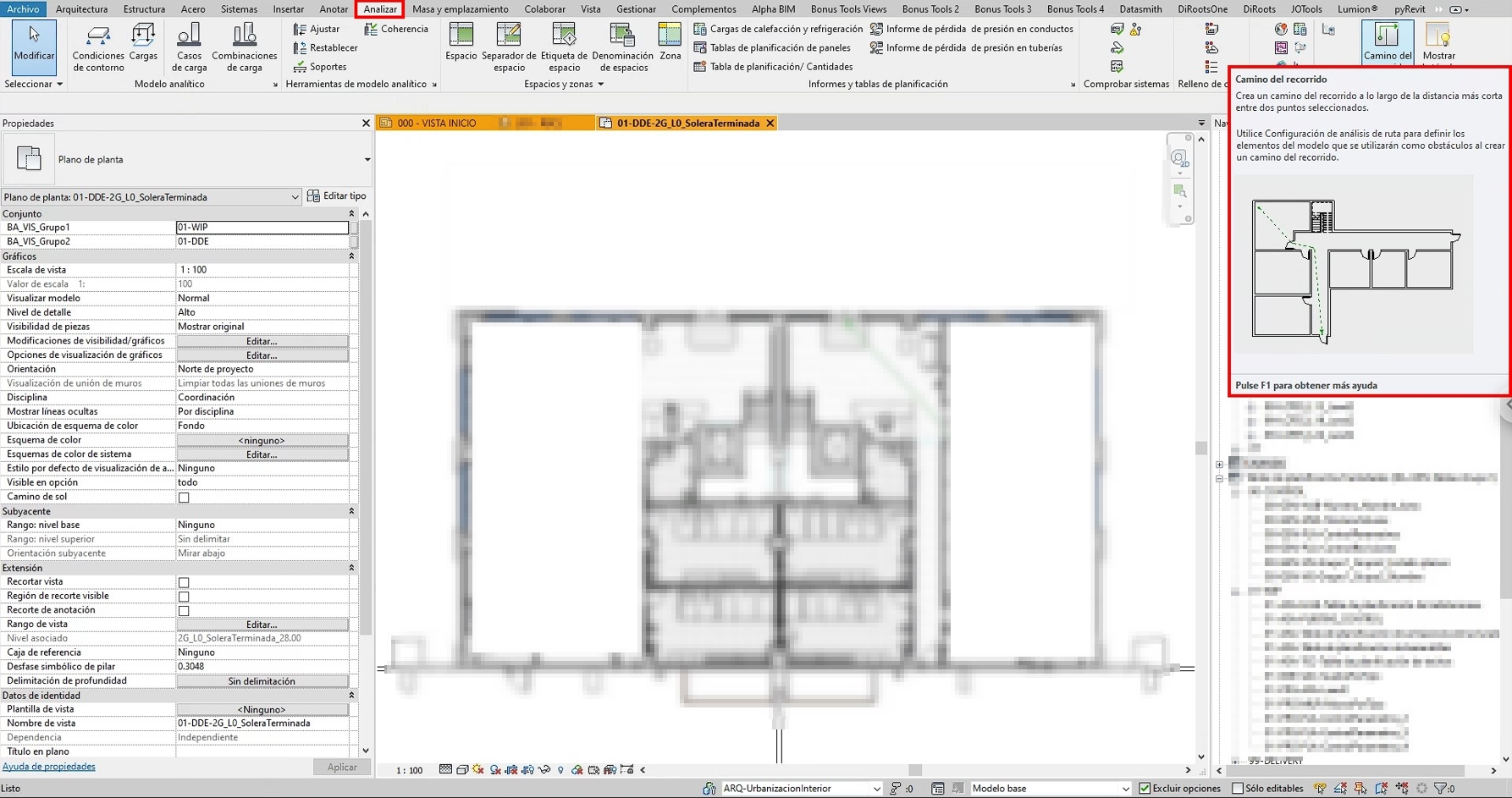
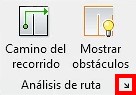
The tool allows you to generate an evacuation route from a starting point to an end point. To access it, go to the “Analyze” tab and use the “Evacuation Routes” tool.
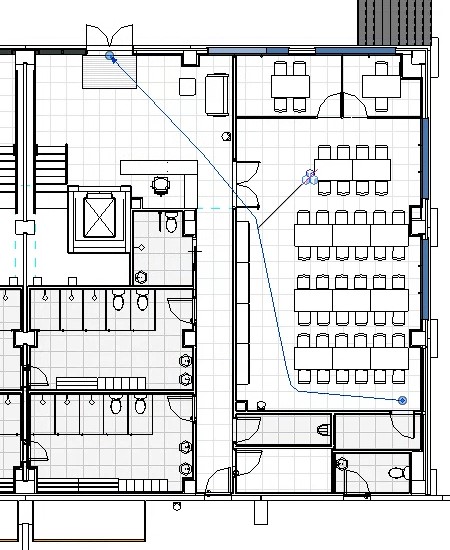
Next,select a point of origin and an evacuation exit point. The program will
automatically trace the route while avoiding obstacles.
When reviewing the result (refer to the image below), we can detect the drawbacks of the tool: the route is not placed along the axis of the corridor or staircase as indicated by Spanish regulations. Instead, it marks the shortest route between the defined points. Therefore, the calculated distance does not follow the regulatory criteria, and it is not possible to verify compliance with regulations regarding the maximum evacuation route length.
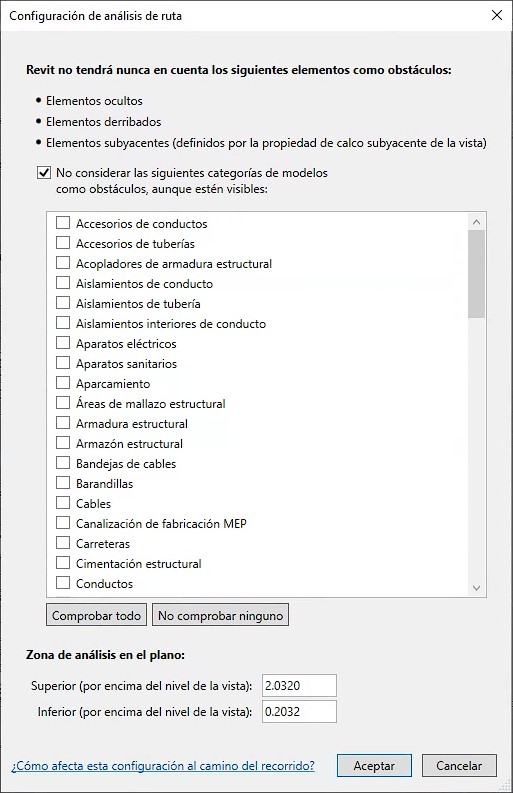
On the other hand, the route settings can be modified from the button located just below the tool. From the “Route Analysis” options dialog box, the elements considered as obstacles by the tool can be configured, as well as the analysis area.
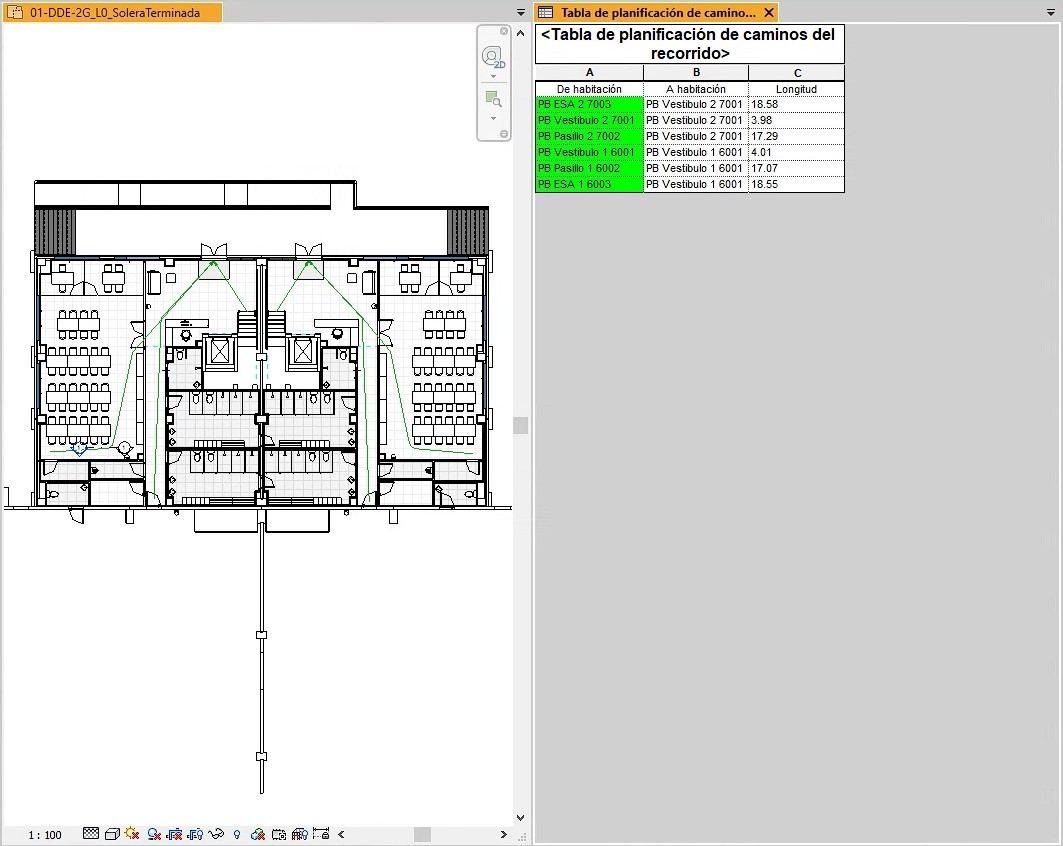
Once the evacuation routes have been defined, Revit allows us to generate schedules for these routes and even filter them to display those that exceed the maximum length established by regulations in a specific color.
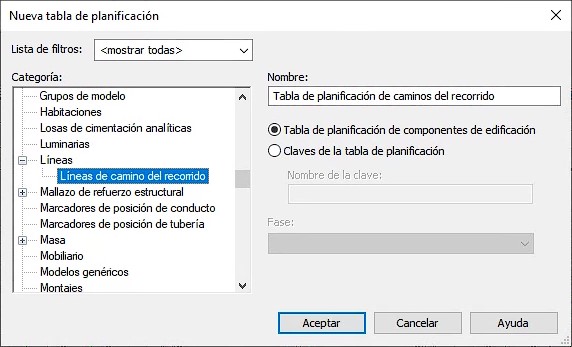
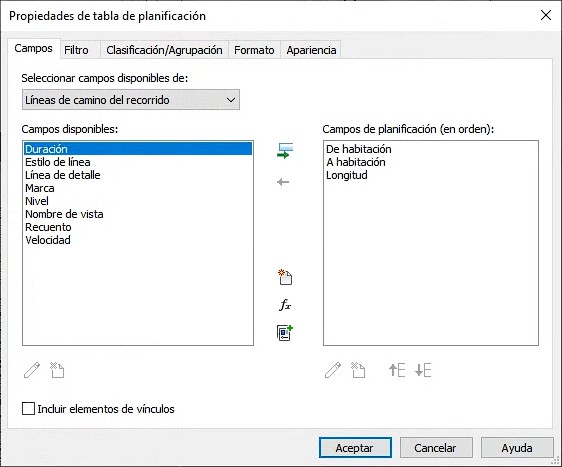
The schedule is generated by selecting elements from the category “Evacuation Route Path Lines.” In addition to the “Length” field, other useful available parameters include the “From Room” field (indicating the starting point of the route) and the “To Room” field (indicating the destination).
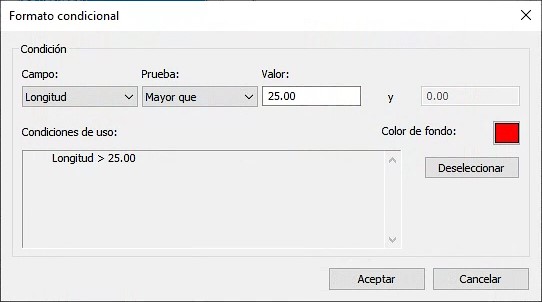
Likewise, conditional formatting can be easily created, allowing us to quickly verify whether a given evacuation route complies with the maximum distances required by regulations.
Therefore, we use the tool as guidance during the design process. As mentioned, it is not as useful when generating documentation for regulatory compliance, since the evacuation route length does not follow the centerlines of corridors, stairs, or ramps as required by the CTE.
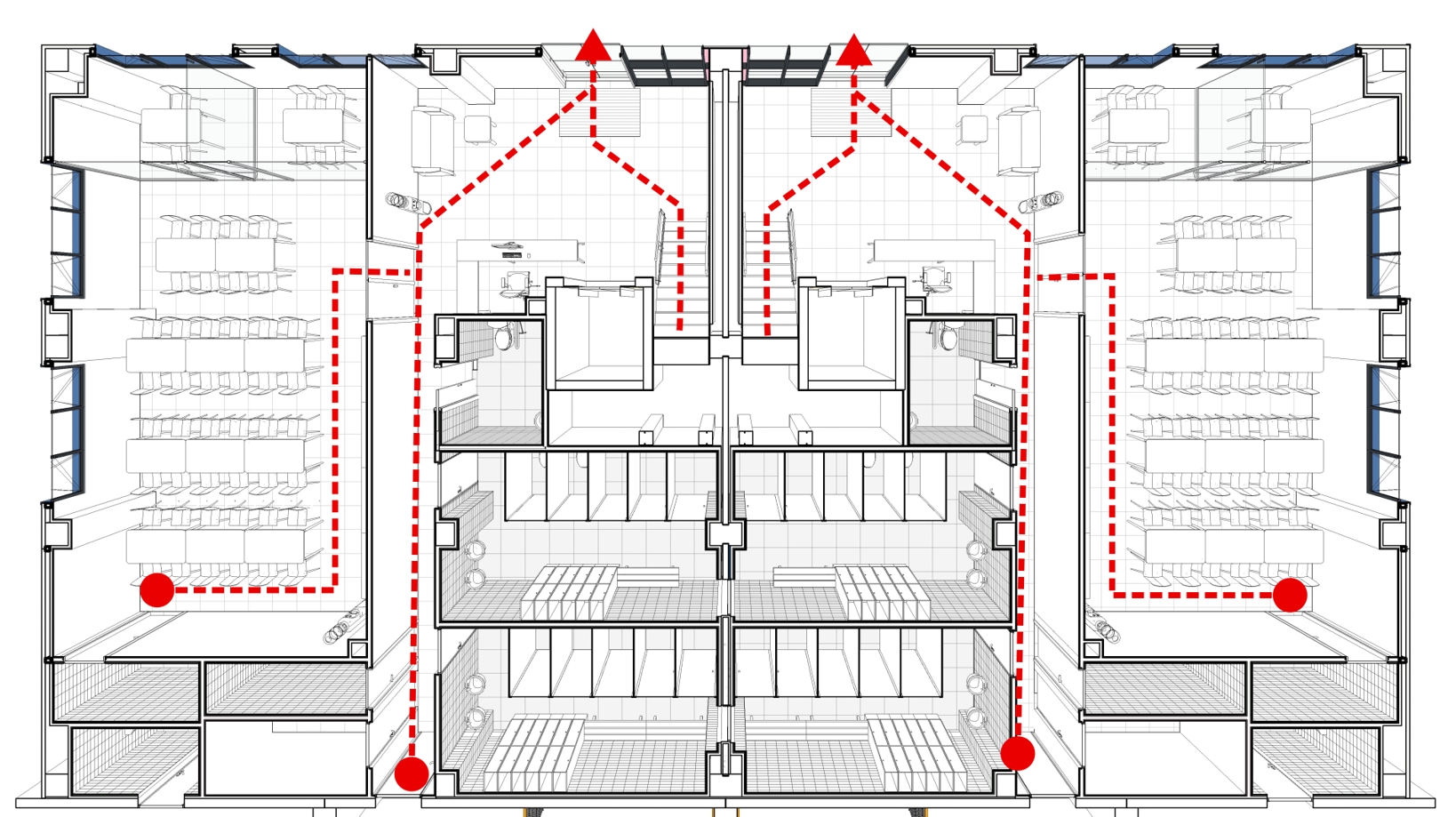
For this reason, in order to comply with technical regulations and achieve greater precision, we use a custom evacuation route family from which we prepare the project documentation.
Evacuation routes using a specific family
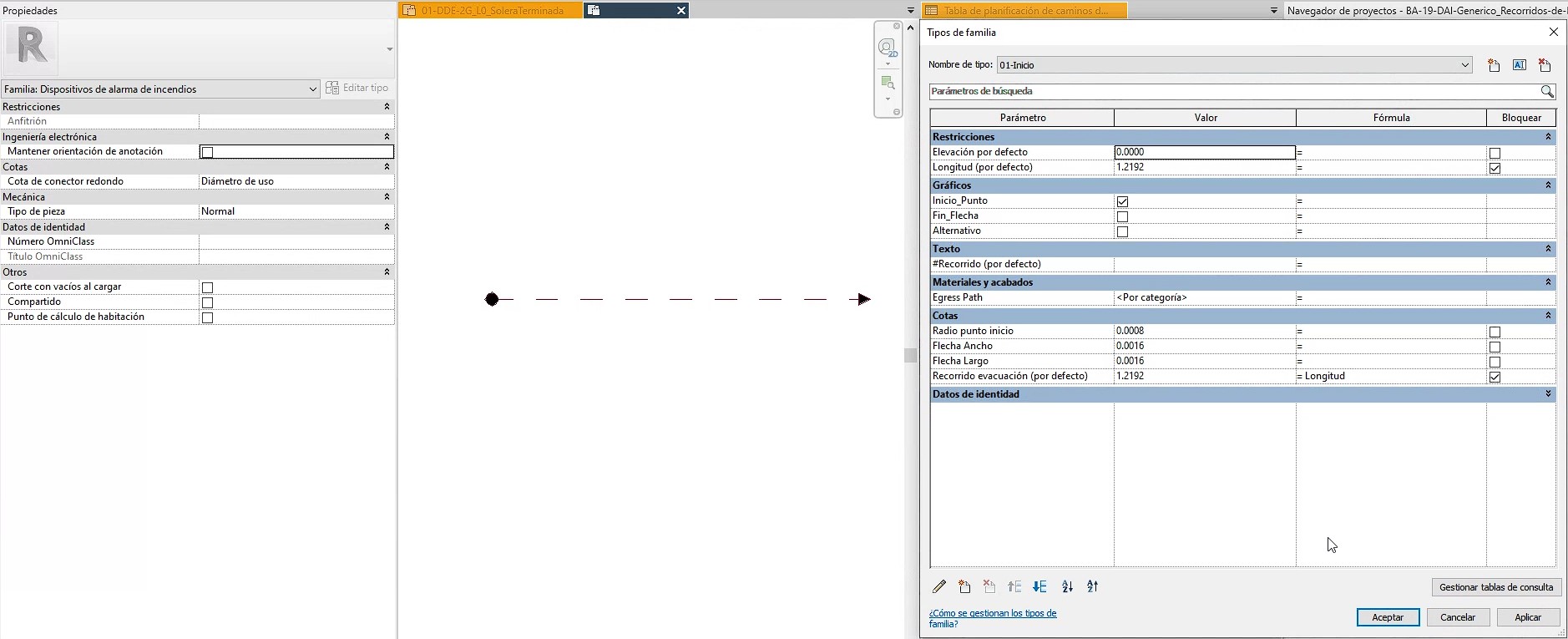
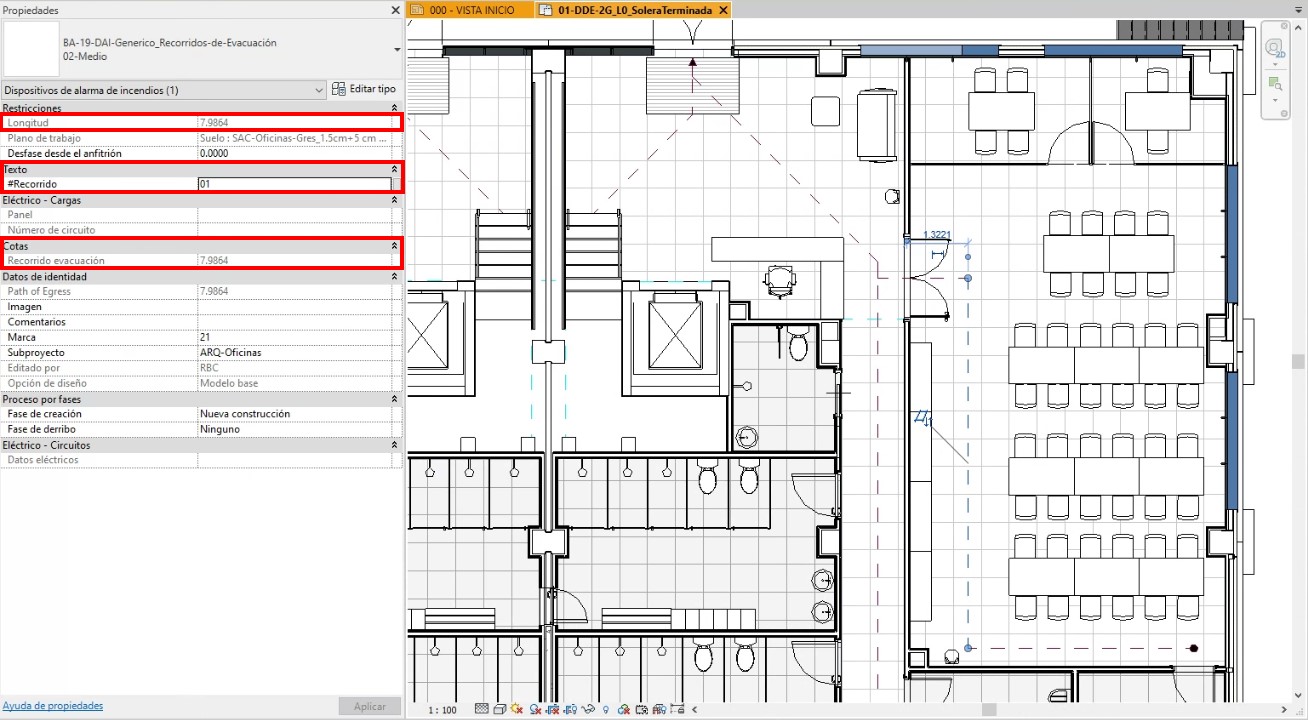
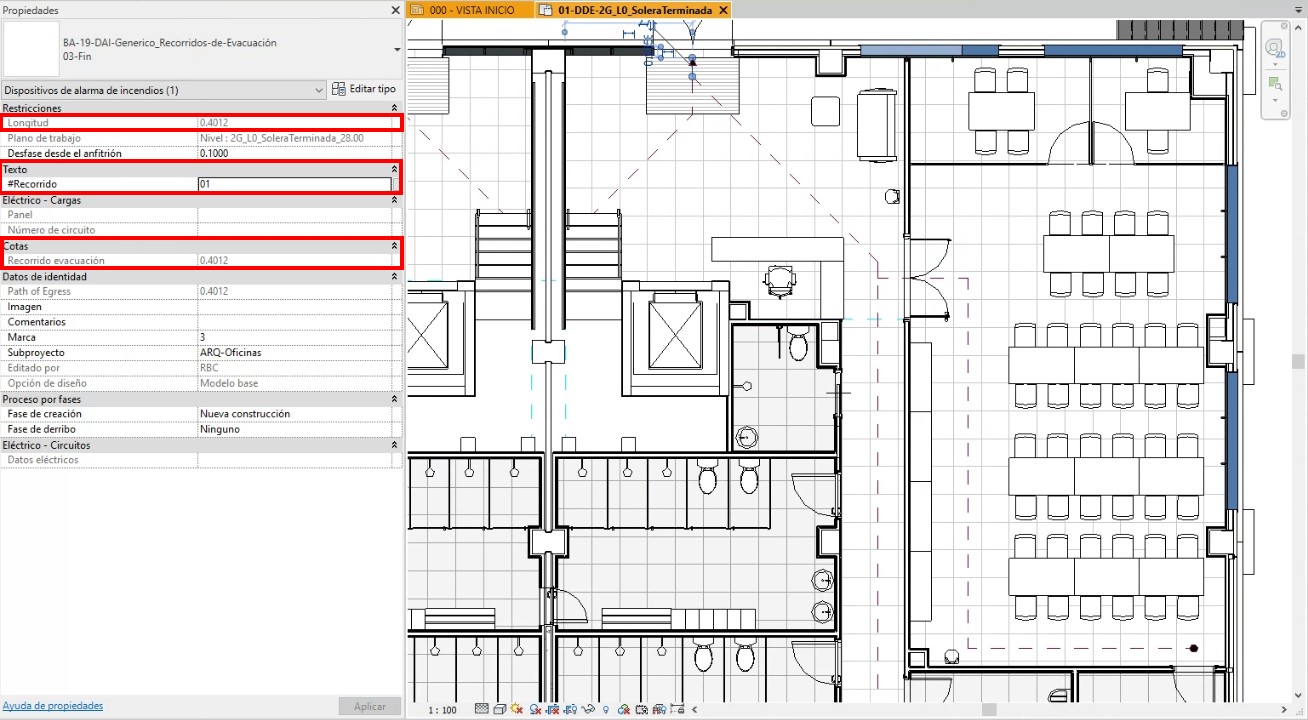
The family we use allows the evacuation route to be drawn using three segments required for its construction, corresponding to the different “types” defined within the family.
These three segments are:
- The start of the route – type “01-Start”, which keeps the nested family “CTE-SI Punto-Evacuación” visible.
- The intermediate segments – type “02-Middle”.
- The final segment – type “03-End”, which keeps the nested family “CTE-SI_Flecha-Evacuación” visible.
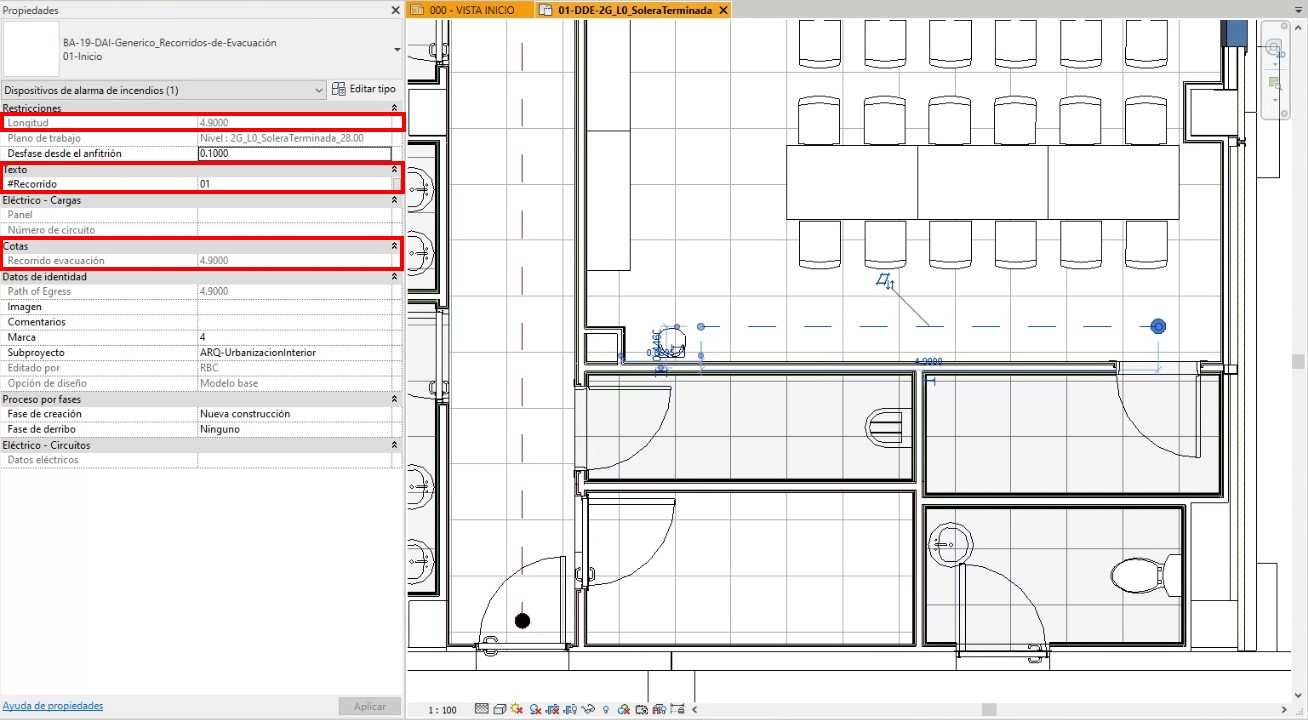
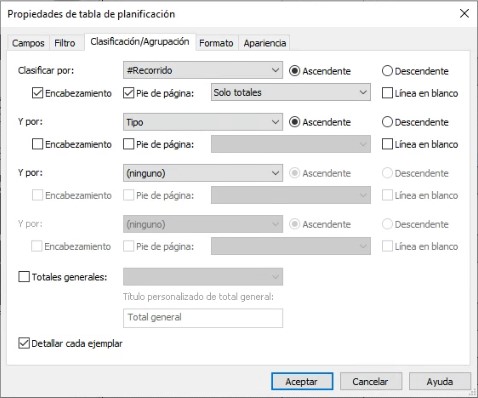
Once the “start of the route” segment has been modeled, we assign a route number to the shared parameter “#Route,” which will be used to classify and group elements within the schedules. The example route we will use is named “01”.
Next, based on the “start of the route” segment, we develop the remaining segments using types “02-Middle” and “03-End”.
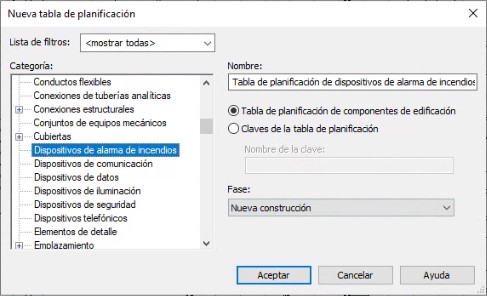
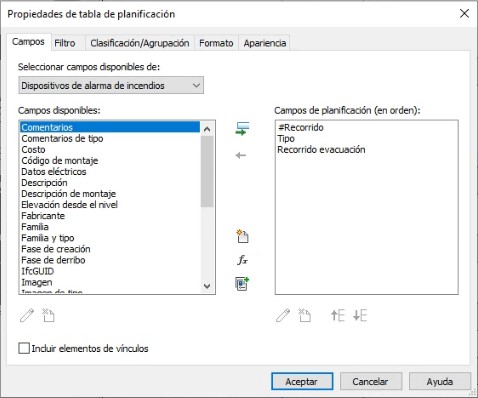
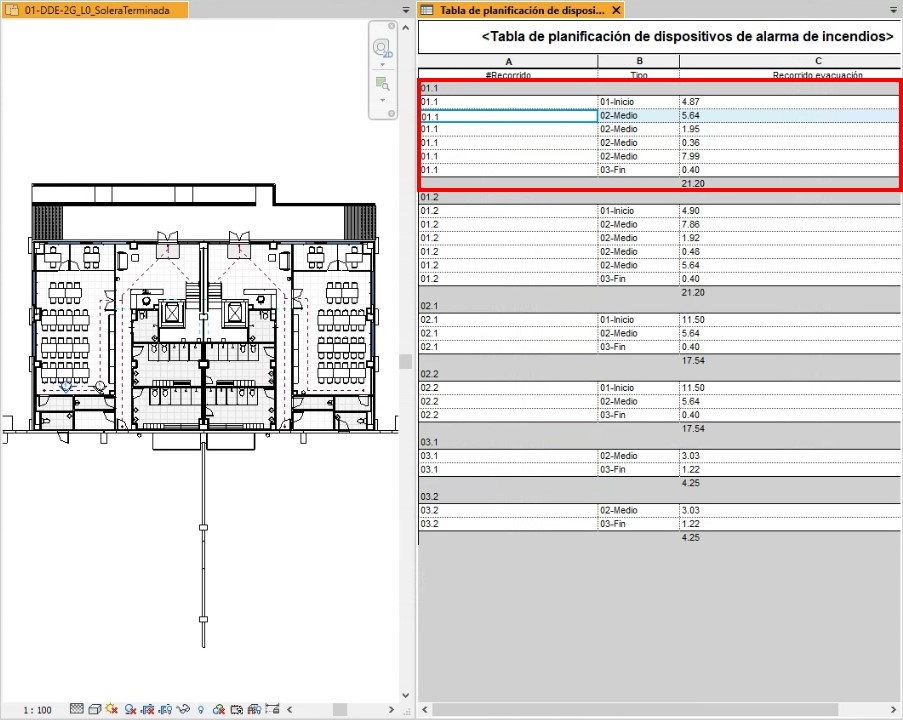
Once the information for each route has been completed, we can generate schedules with all the information organized and adapted to regulatory requirements.
It should be noted that, unlike the evacuation route tool proposed in Autodesk Revit 2020, this specific family allows routes to be drawn in accordance with the criteria established by technical regulations.
In this way, as shown in the previous images, it is possible to organize and quantify evacuation routes according to the position and distribution required by regulations.
Evacuation routes and applicable regulations
Finally, we will mention the sections of the regulations to be consulted regarding evacuation routes and the requirements to be met. It should be noted that the buildings we typically work with are industrial facilities with associated administrative areas.
On the one hand, these administrative spaces are designed in accordance with the requirements of the Spanish Technical Building Code (CTE). According to this code, they are considered “Administrative Use Establishments” and must comply with different conditions depending on the number of floor exits or room exits available.
From the application of Table 3.1 “Number of floor exits and length of evacuation routes”, Section 3, SI3 – Occupant Evacuation, of the SI document “Fire Safety,” the following can be derived:
Floors or rooms with a single floor exit or room exit must maintain an occupancy not exceeding 100 people, and the length of evacuation routes to a floor exit must not exceed 25 m, with some exceptions that do not usually apply to the type of construction we work with.
Floors or rooms with more than one floor exit or room exit must ensure that the length of evacuation routes to any floor exit does not exceed 50 m. Again, certain exceptions exist that do not typically apply to our projects.
On the other hand, regarding industrial establishments, reference must be made to Royal Decree 2267/2004 of December 3, approving the Fire Safety Regulation for Industrial Establishments. Annex II establishes the following requirements:
Evacuation route length according to number of exits
| Risk | 1 exit-single route | 2 alternative exits |
|---|---|---|
| Low (1) | 35 m (2) | 50 m |
| Medium | 25 m (3) | 50 m |
| High | - | 25 m |
(1) For production or storage activities classified as low risk level 1, where it can be justified that the materials involved are exclusively Class A and construction products, including finishes, are also Class A, the maximum evacuation route distance may be increased to 100 m.
(2) The distance may be increased to 50 m if occupancy is fewer than 25 persons.
(3) The distance may be increased to 35 m if occupancy is fewer than 25 persons.
WHY CHOOSE US?
At VBB, we have a team of BIM experts with extensive experience in the construction industry.
Our core values are quality, innovation, and client satisfaction. We are committed to providing tailored solutions that align with your vision and objectives.
TRANSFORM YOUR PROJECTS WITH OUR SERVICES!
Don’t fall behind in the race toward the construction of the future. Contact VBB and discover how our BIM Consultancy can transform your projects, save you time and money, and improve the quality of your constructions. Together, we can take your business to the next level.
Get in touch with us to start building the future together.
We are looking for talented professionals to strengthen our team.
This is a great opportunity for candidates with experience in engineering, BIM and the UAE construction market.
Send us your CV to info@vbbengineering.com we would be happy to hear from you!